Everything lives on your iPhone and, if you use iCloud, in your own private iCloud — not on our servers. We never see your child’s name or a single entry. No sign-up, no ads, no analytics, no third-party trackers.
Now on the App Store · iPhone & Apple Watch
Potty training, one calm promptat a time.
PottyPro times the gap between potty trips, nudges you when it’s time to try, and keeps a simple, honest log of how it’s going — shared with whoever needs to see it, and nobody else.
- 3 days free, no card needed to try
- No account
- No ads, no tracking
- Apple Watch app
How it works
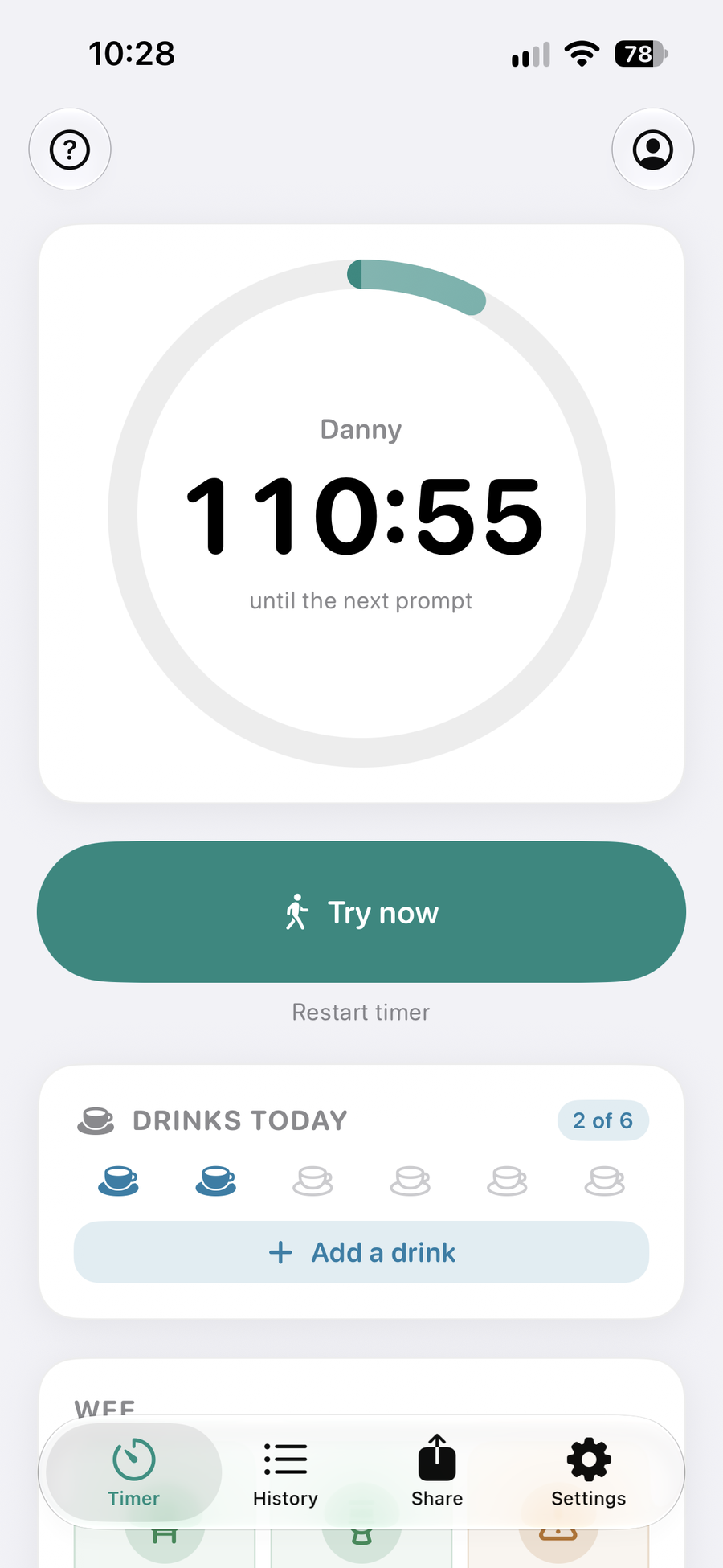
Set a gap. Try. Tap what happened.
That’s the whole loop. Everything else is there when you want it and out of the way when you don’t.
- 1Set the gap
Choose how long to wait between prompts — anywhere from 30 minutes to 4 hours — and when quiet hours start and end.
- 2Try when it’s time
The countdown runs on your Lock Screen, widget and Apple Watch. When it’s up, you get one gentle reminder.
- 3Tap what happened
Wee or poo, potty or toilet, accident or held on. Logging restarts the countdown for you.
- 4See how it’s going
A day-by-day history, plus plain-language notes when your own logs show something worth a look.
Features
Everything you need, nothing you don’t
Built from what parents said other potty apps got wrong, and from NHS, NICE and ERIC guidance on what actually helps.
No prompts overnight — a reminder that falls in quiet hours waits until morning. Then one notification asks whether the night was dry, and you answer Dry or Wet without opening the app.
Wee and poo in the potty, the toilet or an accident. Held on or straining. Dry checks. Dry and wet nights, kept separate from daytime figures.
Drinking enough is what trains a bladder, so PottyPro tracks drinks against a daily target (ERIC suggests 6 to 8) and celebrates when your child hits it.
Invite a partner or grandparent on their own Apple Account. They see the live log and the same countdown, and can log too. Stop sharing whenever you like.
Send a plain summary of today’s log plus a note of your own — “keep offering every hour, he holds it when distracted” — by message or email. The nursery doesn’t need to install anything.
If your logs show accidents landing after a prompt was already due, PottyPro suggests a shorter gap and shows the counts it’s working from. It waits for enough data, never goes below 45 minutes, and you can dismiss it.
If accidents return after a settled stretch, you get a short list of things worth checking first — drinks, sitting properly, changes at home or nursery — before assuming you’re back to square one.
See the countdown on your Home Screen, and on your Lock Screen and Dynamic Island while a timer runs — without opening the app. On Apple Watch, a complication puts it on your watch face.
Each child gets their own timer, quiet hours, drinks target and history. Switch between them with a tap.
Away-from-home mode marks entries from outings, so a pull-up on a long car journey doesn’t read as a step backwards. A sensory-friendly preset keeps at least two hours between prompts.
An optional readiness checklist before you start, and a gentle tip if you’re asking “do you need a wee?” every few minutes — the most common slip-up in expert guidance.
Screenshots
A look inside
The timerCountdown to the next try 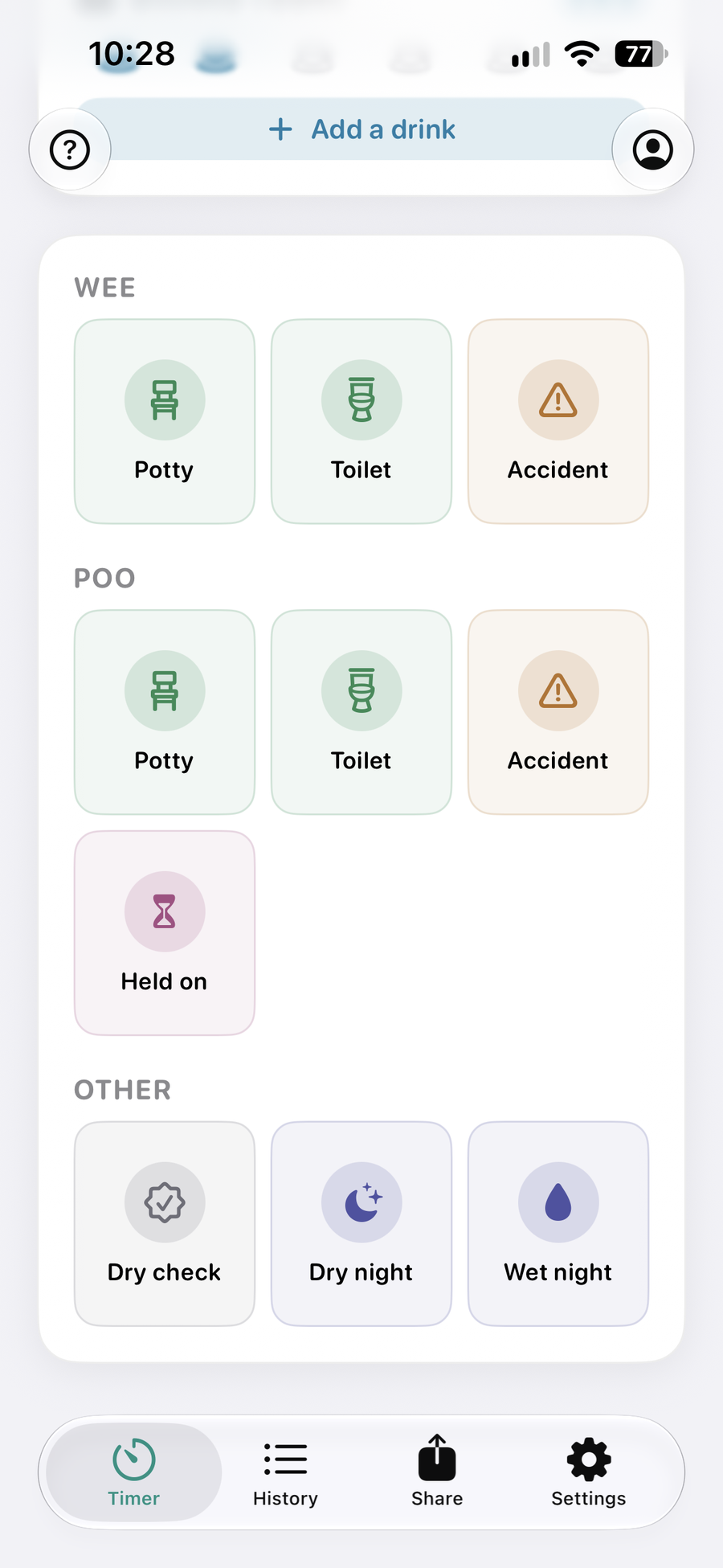
LoggingOne tap for what happened 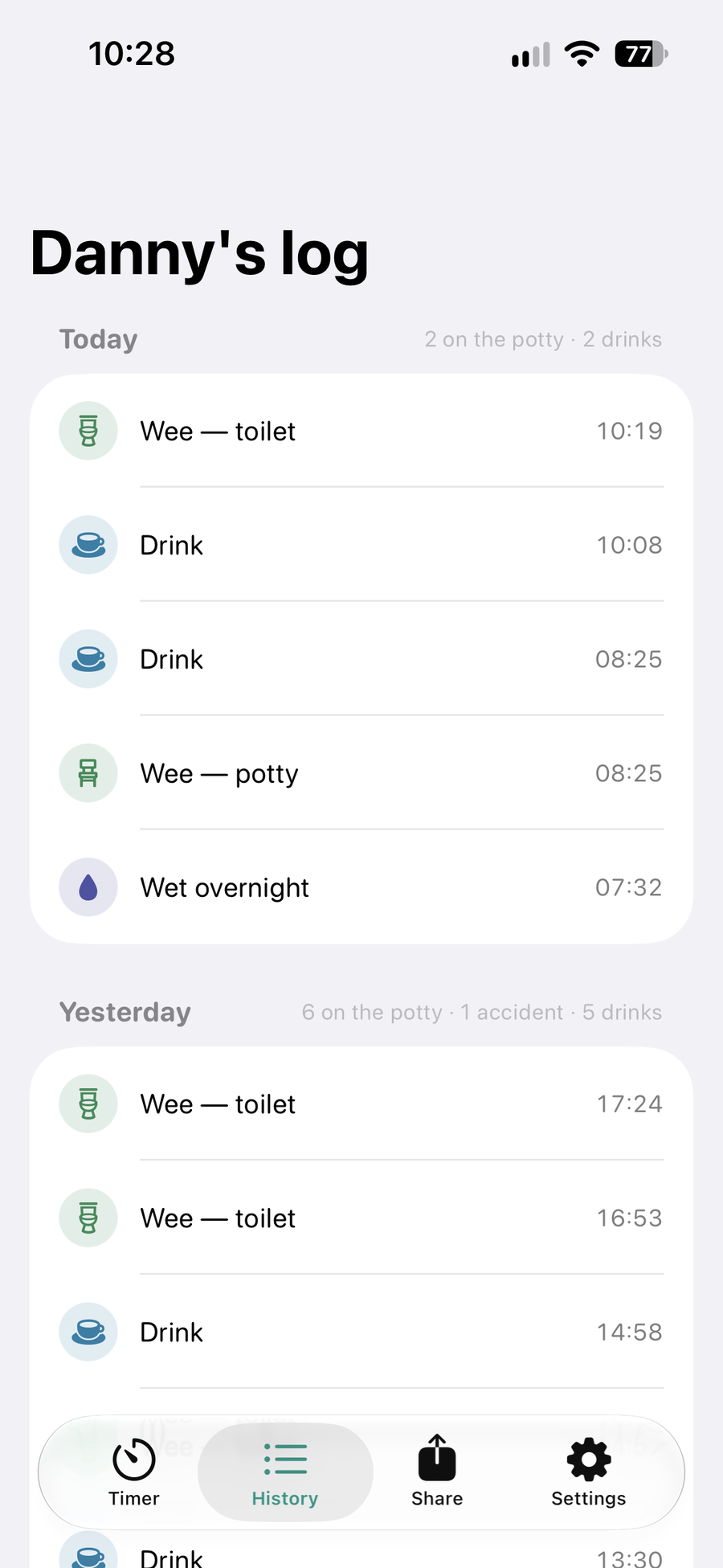
HistoryEvery day at a glance 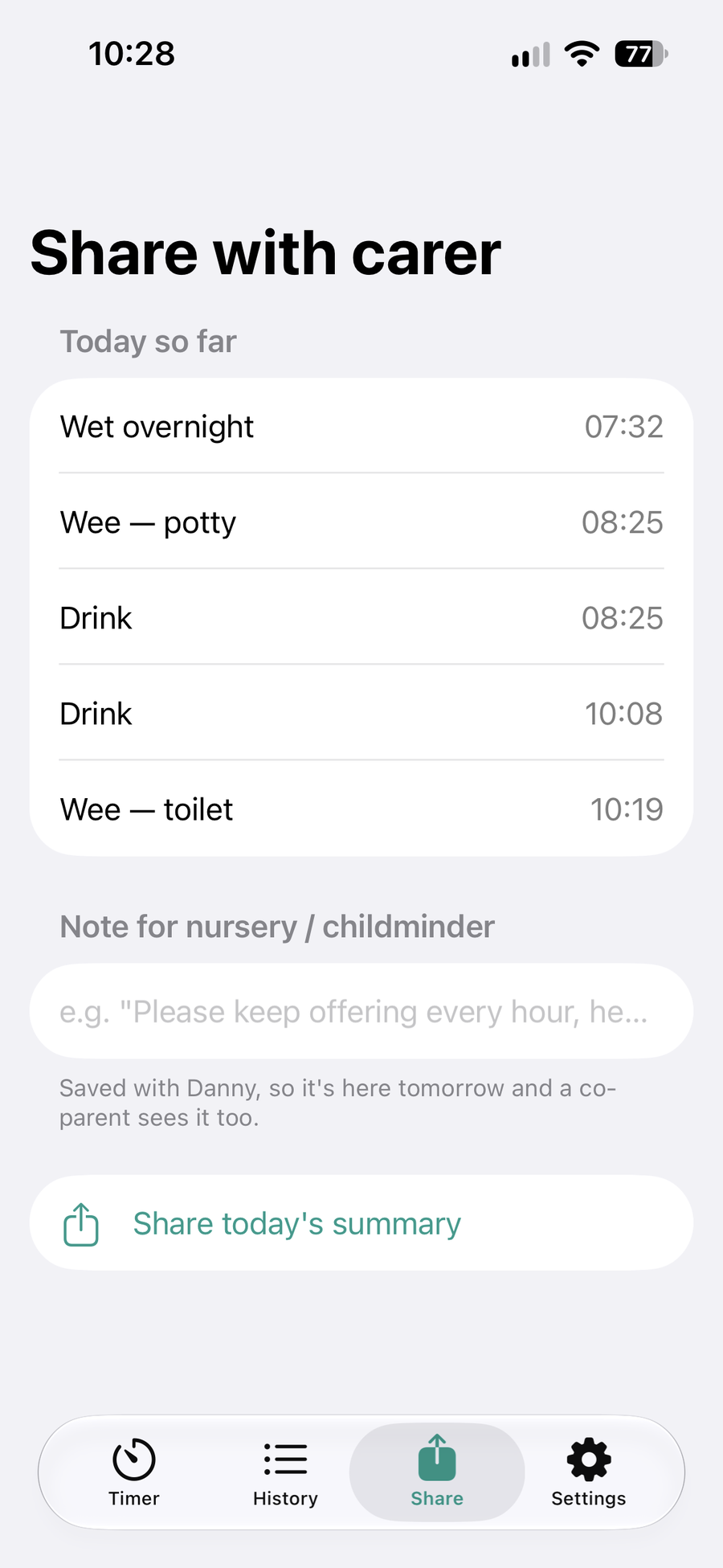
Share with carerToday’s summary for nursery
Apple Watch
Right there on your wrist
With a toddler on one hip, your phone is never where you left it. PottyPro on Apple Watch keeps the countdown on your wrist and logs a try in one tap.
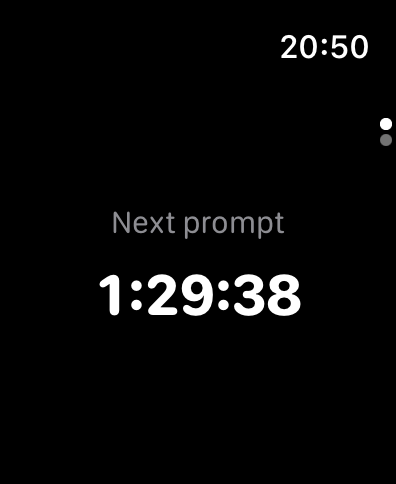
See how long until the next prompt. With more than one child, whoever is due first comes to the top. A complication keeps it on your watch face.
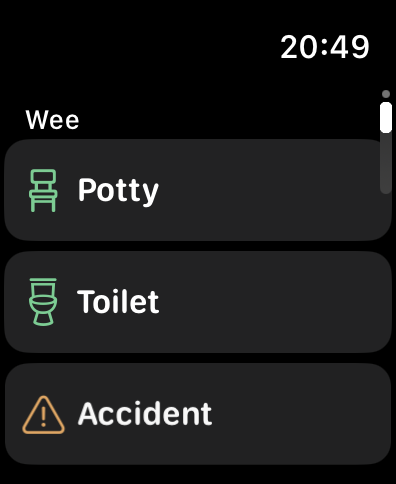
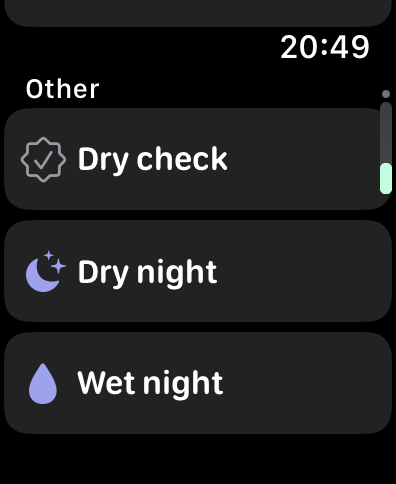
Wee or poo in the potty, the toilet or an accident, held on, dry checks and nights — straight into the same log as your phone, with a tap on your wrist to confirm.
The watch syncs through your own iCloud, so it keeps going when your phone is in another room. Prompts come from your iPhone, so they never arrive twice.
If they sat and nothing happened, one tap brings the next prompt back in 15 minutes. It isn’t logged as anything, because it isn’t an accident.
During quiet hours the watch shows when the next prompt will sound instead of counting down, and nothing buzzes until morning.
The Apple Watch app needs PottyPro on your iPhone and watchOS 26 or later. It’s included with PottyPro — there’s nothing extra to buy.
Our approach
Kind to children, honest with parents
Celebrate what they control
Confetti is for a wee or poo in the potty or toilet, and for hitting the day’s drinks. Dry nights aren’t in a child’s control, so they’re noted quietly for you, not turned into a prize.
Nothing to lose
There are no streaks to break and nothing is taken away after an accident or a wet night. Setbacks are part of it, and the app treats them that way.
Signposts, not diagnoses
PottyPro records what you tell it. If something is worth raising — like wetting returning after six months dry — it says so plainly and points you to your GP or health visitor.
“Made to be used one-handed, at seven in the morning, by someone who hasn’t slept.”
The idea behind every screenTrying it out
Free for three days. Then simple.
3 days
Everything, freeUse every feature for three days. You don’t need to enter payment details to start.
Monthly
Then one subscriptionA single monthly plan, priced by the App Store for your country and shown in the app before you pay. Cancel anytime in your Apple Account settings — your logs stay safe either way.
Get PottyProfor iPhone & Apple Watch
Free for three days, with no card needed to start. PottyPro runs on iPhone with iOS 26 or later, and the Apple Watch app on watchOS 26 or later.

Questions? support@beasnet.com